

AI Coding Tools 2026 — How to Choose the Right One for Your Workflow
From the header to the footer of websites, mobile apps, dashboards and interfaces, devs and non-devs are debating about which AI coding tool to use in 2026. And the AI-learning crowd is starting with the unintended questions that could lead them to nowhere. The Internet is flooded with comparisons, benchmarks, and opinion pieces declaring one tool as the obvious winner. Strip away the hype though, and the real conversation becomes far more interesting and useful. The best AI coding tool for your workflow is not determined by a Reddit thread or an AI-native developer’s X (Twitter) feed. It is determined by your purpose, your objective, and the specific outcome you are working towards.
Let me be direct – this post is not just for professionals learning to develop things with AI, and in this AI-era, it is still fundamentally encouraged to make your own trials-and-errors.
It is for founders, marketers, content creators, and builders of all kinds who are trying to figure out which AI-assisted tools belong in their workflow stack in 2026. Whether you have never written a single line of code in your life or you are a seasoned engineer evaluating your next Integrated Development Environment (IDE), the framework here applies to you.
A Quick Trip Back to 2000s Coding, when Flash was King and HTML was a Manual SOP

To understand how extraordinary the current landscape really is, we need to step back to the early 2000s because that era shaped almost every instinct that developers and digital builders still carry today. In 2000, building for the web meant writing HTML by hand in tools like Notepad, Dreamweaver, Yahoo! Geocities, or HomeSite (I almost forgot about Homesite. I did not just reveal my age as I am still a millennial ☺️). There was no intelligent autocomplete task widget, no line of code suggestions, and certainly no AI co-pilot sitting in as my editor flagging errors before I could even finish the line of code. If I didn’t finish the line, and it just couldn’t work across Firefox, Internet Explorer, and Opera browsers, I had to go back to my files and squint at the lines of codes where I have left off. This one contributed to the growing effects on my eyesight, which is the normalcy – astigmatism and short-sightedness 😅.
Then came the rise of JavaScript as a serious language, whereby developers built dynamic web experiences by using libraries like Prototype.js and later jQuery. Front end work was genuinely artisan for that era. Memorised browser quirks across Internet Explorer 7, Firefox, and early Safari. Alongside testing manually, I debugged by fixing broken lines of codes, and clicking through pages one at a time. Flash was the darling of interactive media with agencies building entire websites in Adobe Flash, complete with elaborate loading screens, animated navigation menus, and mouse-trail effects that looked extraordinary by the standards of the time. Then Apple killed it, and an entire category of interactive web design became a period of overnight nightmare.
That era built rigour, patience, and a deep foundational understanding of how the web actually functioned. We could not hide behind an abstraction layer because there was no abstraction layer to begin with. This history does matter, and it is worth reading the LadyinTechverse piece on the journey from the dot-com bubble to the AI revolution, because it gives you genuine context for how dramatically the cognitive load of building software has shifted. Every tool that emerged after those years, from Sublime Text to Atom to Visual Studio Code, was designed to reduce friction and increase developer speed. The question in 2026 is whether AI-native tools represent the next step in that same evolution or something categorically different. The answer, as you might suspect is both.
The Shift That Changed Everything — From Plugins to AI Thinking Inside the Editor
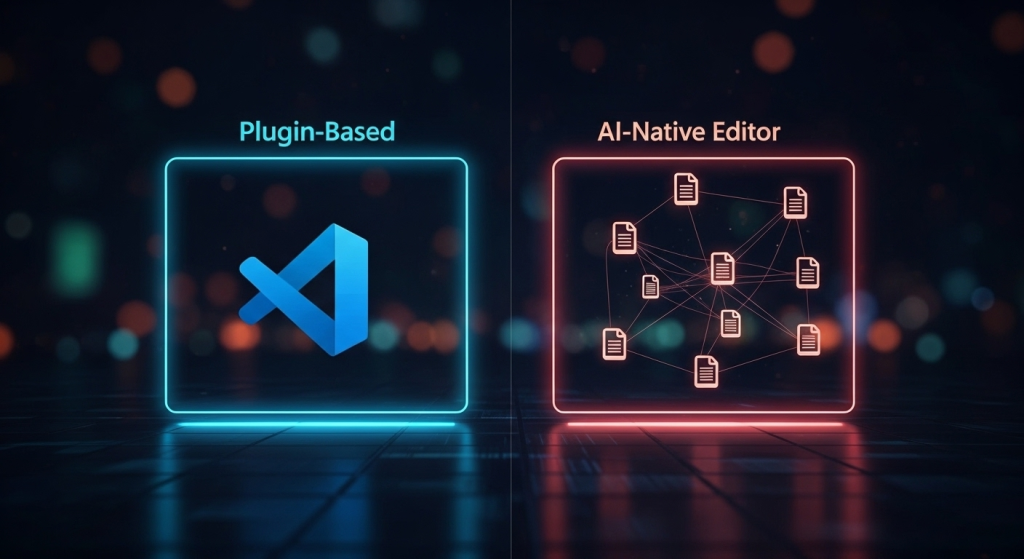
For most of the 2010s, the dominant paradigm for developer tooling was the extensible editor. Visual Studio Code (VS Code) was released by Microsoft in 2015, and became the global benchmark. Best of all, It was free, open source, fast, and endlessly customisable through a vast extension of plugins and libraries marketplace. If you wanted AI assistance inside VS Code, you added it as a plugin. The editor role sustained as the editor. The AI was an assistant that was making suggestions from the back seat.
This model still works well for millions of developers today. But it carries a structural limitation: the AI can only see what is immediately in front of it. It can read your currently opened file, suggests completions, operates within the boundaries of the extension API, which means it is always looking at your code from the outside in. Genuinely useful, but contextually constraint. What changed with the emergence of AI-native tools like Cursor is that the AI moved from the passenger seat into the driver’s position. Cursor AI, was built by a team of MIT graduates who forked VS Code in 2022, and did not slap an AI layer on top of an existing editor. It rebuilds the editor itself with AI as the core intelligence layer. It indexes your entire codebase using Retrieval-Augmented Generation (RAG) techniques, so when you ask it about a bug in your user authentication flow, it understands how your frontend components, backend routes, and database schema all relate and call out to each other. It is not looking at a single file because it is reading your whole story.
This distinction is the single most important thing to understand before you choose a tool in 2026, and it connects directly to the broader agentic AI shift explored here. We are not talking about smarter autocomplete, or a fundamentally different relationship between a human builder and his/her software environment.
AI-Plugin Tools: Familiar Territory with a Smarter Co-Pilot
VS Code with AI extensions remains the most widely deployed AI-assisted coding environment on the planet that is trusted by enterprise teams and individual developers alike. Its dominance is not a viral trend as it sits inside the world’s most popular code editor, meaning organisations do not need to retrain their teams on an unfamiliar interface. IT departments can manage it centrally, and enterprise security teams can audit it through Microsoft’s established compliance frameworks, including SOC 2 Type I and ISO/IEC 27001 certifications.
Microsoft has been closing the AI capability gap aggressively. In late 2025, it introduced a unified Agent Mode architecture inside VS Code that allows the editor to complete tasks autonomously across multiple files, search workspaces for context, and check for errors end-to-end. This meaningfully narrowed the functional difference between VS Code and AI-native tools like Cursor for most everyday use cases.
The trade off remains architectural because AI assistance in VS Code operates through the extension API, rather than as a native intelligence layer, it is inherently more bounded. For sequential tasks with clear scope, it performs really well. Having cascading changes across service boundaries in a complex codebase, it would require more manual oversight and explicit file selection from the developer. If you are working in Jupyter Notebooks, as data scientists frequently do, VS Code actually outperforms Cursor because its notebook cell integration is more mature and stable.
The practical upshot is clear. If you are an enterprise developer, a team working on large repositories, or someone who values ecosystem stability and deep GitHub integration above all else, VS Code is not a compromise. It is considered a well-supported choice that has earned its position at the top of the market.

AI-Native Tools — When the Editor Itself Becomes the Intelligence
Cursor launched as a VS Code fork built around an AI-first philosophy, and its commercial ascent has been remarkable. The company reached one billion dollars in annualised revenue in under 24 months from launch, and as of early 2026 it commands a valuation of approximately 29 billion dollars. Those numbers reflect genuine developer enthusiasm for a tool that feels, in the words of many practitioners, like working with a smart collaborator inside the editor rather than a fast autocomplete tasker on top of it.
The practical differentiation lies in context depth and agentic capability. Cursor’s recent Composer mode allows a developer to issue a high-level instruction, such as refactoring a billing page to use a new payment API, and have the editor identify all relevant files, plan the changes, and apply coordinated edits across the entire codebase simultaneously. When you rename a function, Cursor finds all 50 references across your project, updates the imports, and flags test file changes as a single coordinated operation. This is not an incremental improvement as an autocomplete tasker. In fact, it is a different category of assistance.
For large projects, the trade offs are real and worth acknowledging. Cursor consumes more RAM and CPU because of its continuous local indexing processes. In massive codebases with millions of lines of code, that indexing takes time and exhausts computational resources, alongside large token withdrawals from the Max model versions. Enterprise security teams have been cautious because Cursor processes code via cloud-side systems, though the introduction of privacy mode and self-hosted AI gateway options in 2026 has begun to address those concerns in a meaningful way. Also in recent events, Cursor was alleged to use China’s AI-assisted models to support its coding activities.
“Two US-built artificial intelligence coding assistants, Cursor and Windsurf, recently announced the launch of their proprietary models, Composer and SWE-1.5, respectively. The rollout took an unexpected turn when users discovered that both tools were actually running on Chinese-made AI systems. Developers in several countries began noticing Chinese-language text appearing in code snippets generated by Cursor. Around the same time, Windsurf confirmed that its core model was provided by Z.ai (formerly Zhipu AI) after the company’s official account on X reposted Windsurf’s launch announcement with a congratulatory note.”
– excerpt from Coding tools Cursor and Windsurf found using Chinese AI in latest releases, Written by 36Kr English
Beyond Cursor, other AI-native entrants have established themselves. Windsurf positions as a budget-friendly alternative with a free tier. Claude Code, developed by Anthropic, takes a terminal-based approach that feels as one developer analysis described it, like handing a difficult task to a colleague and getting it back completed (only in Opus 4.6). In February 2026, GitHub added Claude Code to its own multi-agent Agent HQ platform, which is a telling signal that even Microsoft acknowledges the editor-centric model is no longer the only viable architecture for serious AI-assisted development.
Cursor vs VS Code — A Straight-Talking Comparison
Here is my honest summary without the marketing language.
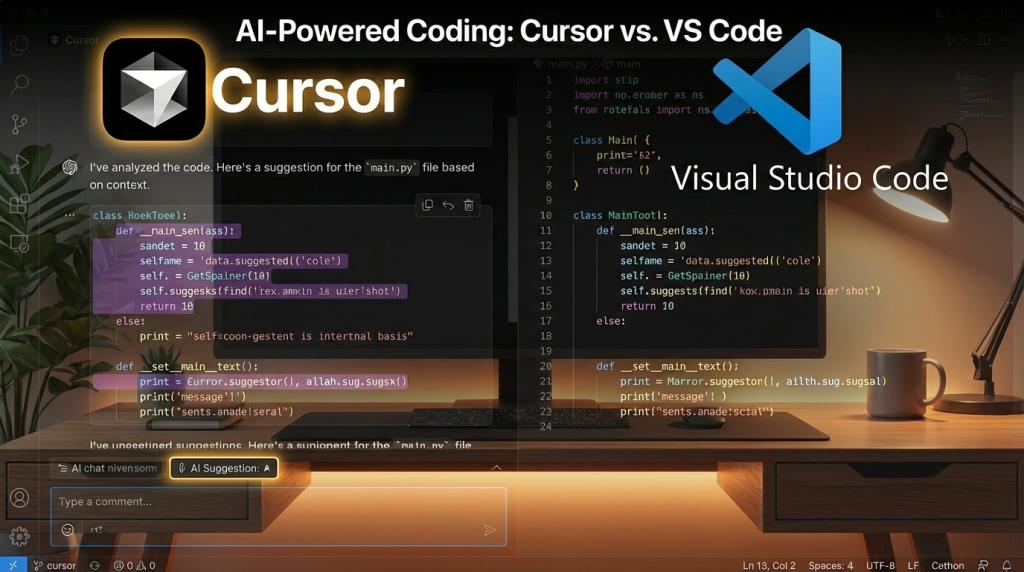
The defining architectural difference is this: In VS Code, AI is a plugin. In Cursor, AI is the driver. That single sentence captures the philosophical divide more accurately than any feature comparison table ever could.
Cursor delivers stronger performance for context-heavy queries, multi-file refactoring, and complex codebase comprehension. It supports multiple LLM (Large Language Model) backends including thinking models from OpenAI, Claude, and Gemini with extended context windows of up to 272,000 tokens, which is a significant advantage when understanding the relationship between files matters as much as writing individual functions.
VS Code’s advantage is on ecosystem maturity, enterprise governance, zero base cost, and being compatible with the world’s largest extension marketplace. For developers relying on niche language support, database visualisation tools, or deep debugging integrations, VS Code remains the more feature-complete environment overall. Microsoft’s decade of performance optimisation also means it runs faster in large projects where Cursor can struggle under the weight of its indexing processes.
On pricing, Cursor Pro costs around 20 US dollars per month with a $20 credit pool that is designed to cover approximately 225–650 requests depending on the model used. Heavy users running complex refactoring tasks daily can exhaust that AI-token-generation-ceiling quickly too. VS Code itself is free and comes with various AI extension options available at different price points, depending on the model and capability tier you’d need.
What Nobody Tells You About Productivity Gains
This is the section that most AI tool comparison articles skip entirely because it disrupts a person’s judgment to make better-informed decisions. A non-profit research institute called METR conducted a randomised controlled trial in 2025 involving experienced open-source developers. Half of them used AI coding tools, while the other half did not. The developers using AI assistance were 19% slower. And yet those same developers believed they were 20% faster. The gap between perception and reality was nearly 40 percentage points.
I would think those who are aware would know the detrimental effects for prolonged use of AI coding tools. The productivity gains that companies like Microsoft report, including claims of 55% faster coding and 88% code retention rates, come from 2025 data with no independent 2026 benchmarks yet available. We are making tool decisions based on marketing claims and year-old metrics in a landscape that is evolving week by week. Yes, when new upgrades or new AI-models are being released in an extremely competitive landscape, and for service providers who lean on AI models in their systems, it is like adding new rows in your excel sheet whenever new and random AI-assisted models appear. It could be from Mistral, China-based ones and much more. But what is this hassle, when we have AI at our beck and call, right? 😅
There are days where I would whip out my phone to ask ChatGPT, or Claude, or Gemini, or even Google to get the info I need. Not wishing to sidetrack, what now with Meta’s and Kickstarter’s AI-augmented glasses that could film, record and interact with the users through voice search queries. As a result, there have been reports of specific AI-augmented glasses that are able to identify a person’s face in real time when the user is facing that person, just by searching on the app interface 🤯.
This connects directly to something explored in depth in this piece on the AI productivity paradox: the feeling of speed and the reality of speed are not the same thing. Conflating them has real consequences for how you budget, hire, and plan your product roadmap.
So Which AI Coding Tool is Right for Your Workflow?
Real talk: There is no universal answer, and anyone claiming otherwise either has a referral link or a strong tribal loyalty to a particular developer community. What there is, however, is a clear decision framework grounded in your actual purpose, objective, and desired outcome.

You are a Non-Developer Building Products or Content Workflows
If you are a founder, marketer, content creator, new developer or solopreneur building websites and mobile apps, automation tools, or AI-assisted workflows without a technical background, the vibe coding approach explored in the post on vibe coding and digital services applies directly to your situation. In this context, Cursor’s ability to generate and iterate entire projects from natural language prompts is genuinely transformative. You can describe accurately on what you want to build, review what the AI produces, and iterate without needing to understand every line of code to build and deploy a functional product. While Claude Code works through the terminal, it offers a similar capability with a slightly different interaction model, and a combination of Claude Desktop at approximately SGD 30 dollars per month with GitHub for version control, as well as Vercel for hosting represents an accessible, low-cost entry point for builders without a formal code development background. I would consider myself with one foot here and the other foot in the next paragraph 😁.
You are a Developer or Technical Founder Working across Large Codebases
If you are already proficient with your existing tools and your primary concerns are enterprise stability, team workflow integration, and security governance, VS Code with a well-chosen AI extension is the rational choice. The capability gap between plugin-based AI assistance and Cursor has narrowed significantly since late 2025. You are not sacrificing meaningful productivity to stay in a well-governed ecosystem. The trade off for Cursor’s superior multi file context understanding is real, but so is the trade off for running a third-party cloud-processing tool across proprietary code in a regulated environment.
You are a Solopreneur or a Small Team Moving Fast
Use both. Seriously. The most pragmatic approach for solo developers and small teams in 2026 is to run Cursor for fast prototyping, AI-heavy refactoring, and complex context tasks. While keeping VS Code for larger enterprise projects or specific workflows where extension ecosystem depth matters more than AI-native intelligence. You would benefit from having both tools installed and deployed purposefully rather than through a “vibe code hype”.

The Bottom Line on Tool Selection
Tool loyalty is a remarkably poor substitute for tool strategy. The builders genuinely thriving in 2026 are not the ones who picked the most popular tool. They are the ones who articulated the right outcome first, and then making well-informed decisions on selecting the tool accordingly. A Cursor subscription is not a competitive advantage if your workflow does not require multi-file agentic coding. A VS Code setup with AI extensions is not a compromise if it sits inside a mature enterprise environment where governance and ecosystem depth are more critical than context window size.
The question to ask is not, “which AI coding tool is better?” The question is, “better for what, for whom, and towards which outcome in my specific workflow?”. Once you can answer that clearly, the choice essentially presents itself to you ☺️.
Bringing it Back to the Digital Sanctuary
Here at LadyinTechverse, the philosophy has always been Real Talk on AI, Digital Transformation and Tech, Beyond the Buzzwords. That means I do not celebrate tools for their press releases or their billion valuations. I evaluate them for what they actually do in the hands of real people building real things. The emergence of AI-native coding environments is genuinely significant. It represents the same kind of shift that happened when cloud computing moved from a buzzword to an infrastructure by default, a change in the underlying model rather than just an upgrade to an existing one.
But that shift is only meaningful if you approach it with a clear sense of your purpose. The 2000s developer who memorised every “CSS inline code” quirk to handcraft a pixel perfect layout was resilient to develop that rigour. We were building for the constraints of our moment. As well as, you are building for the constraints, and the possibilities of yours. The tools have changed, but the need for intentions and outcomes have not.
If you are navigating which AI tools belong in your stack, whether for coding, content creation, automation, or strategic communications, come sneak peek at the LadyinTechverse Resource Hub or tune into the LadyinTechverse Podcast on Spotify for more straight-talking conversations on the tools and what works in a month’s context that actually matter. And if this post gave you something useful, share it with someone who is currently debating AI coding tools without understanding on which workflow they are actually trying to improve.
That conversation is far more interesting. Let us have it.
Frequently Asked Questions (FAQ)
Internal Articles
- Vibe Coding Is Rewriting Digital Services: What Agencies, SaaS, and Marketers Must Do Next
- From Dot-Com Bubble to AI Revolution
- Agentic AI in 2025: Ripples that Signal the 2026 Workflow Tsunami
- The AI Productivity Paradox in 2025
- How Brands Build Human Trust in the Age of Agentic AI, Starting in 2026
- Digital Trust in 2025: Governance and Security Shaping the Next Economy
- Data Quality is the Power Move behind every winning AI Strategy in 2025
Sources Referenced
- KR-Asia — Coding tools Cursor and Windsurf found using Chinese AI in latest releases
- METR Randomised Controlled Trial on AI Developer Productivity (2025)
Visual Content Disclaimer: All images in this post are AI-generated.
AI Coding Tools 2026: How to Choose the Right One for Your Workflow
#LadyinTechverse #DigitalSanctuary #AITools #CodingTools2026 #CursorAI #VSCode #ClaudeCode #DigitalTransformation #AIForBuilders #VibeCoding #AgenticAI #TechBlogger #LadyInTech #AIInnovation #DigitalInnovation #RealTalkOnAI #AIProductivity #DeveloperTools #AIWorkflow #TechSingapore


Leave a Reply