

Yes, you can run a WordPress blog entirely from a phone, but not the entire publishing workflow system. The WordPress REST API accepts authenticated requests over HTTPS, so drafting, media uploads, metadata and scheduling all work from a phone via an app, an iPhone’s Shortcuts automation, or a chat interface by using an application password for a privilege auth. What still needs a desktop is complex block-editor layout work and bulk media management for volume type of work.
I have not really opened a laptop to publish a LadyinTechverse post since a few months ago, but I still prefer a slightly larger screen for reading in comfort, versus a mobile device screen or a tablet screen. This is not about making a point on minimalism. The WordPress REST API does not know or care what device has sent the HTTPS request, so once you have the right authentication set up, a phone can do everything a desktop editor does except the two or three tasks that genuinely need a mouse due to the legacy editor blocks created on WordPress.org.
Most guides to “mobile WordPress” actually mean the WordPress mobile app, which still expects you to sit in the block editor pinching and dragging on a six-inch screen. That is not what I am describing. This is the editorial layer running through the REST API directly: draft creation, media library uploads, metadata (title, excerpt, categories, tags), scheduling, and status changes, all as authenticated API calls that a phone can issue as easily as a laptop can.
The REST API That Makes The Desktop Optional

Every self-hosted WordPress.org install ships with a REST API at /wp-json/wp/v2/, documented in full at the WordPress REST API Handbook. It exposes posts, pages, media, users, categories, and tags as JSON resources you can read and write with standard HTTP verbs. A POST to /wp-json/wp/v2/posts with a title, content, and status field creates a draft. A POST to /wp-json/wp/v2/media with a binary file upload adds an image to the library and returns a source URL. None of this cares whether the request came from a browser on a MacBook or a shortcut on an iPhone.
The part that makes this safe to run from a phone, rather than a security incident waiting to happen is Application Passwords, a core feature since WordPress 5.6. An application password is a separate credential scoped to one integration, revocable without touching your main login, and it authenticates every REST request with basic auth over HTTPS.
My Personal Anecdote
I run almost the entire LadyinTechverse content pipeline plugged into AI models. An agent drafts a short angle post for my review and edit, and posts it via the REST API. Another GenAI Agent uploads a few image variants to my WordPress library the same way. If there’s a lot of revisions to do, I would have to get back to my laptop screen to rework and train my AI model. Occasionally, I would approve from my phone by reading the finalised draft and updating its status. No desktop editor touches any of it until I choose to open one.
What Works From a Phone, Verified Against the REST API Handbook
Four things are fully mobile-capable because the REST API treats them as structured data.
Draft creation and content authoring work because the content field on the Posts endpoint accepts raw HTML. Write in a notes app, a chat interface, or a Shortcuts text field, and the API stores it exactly as sent. No visual editor is required to get words and headings into a published-ready state.

Media uploads work because the Media endpoint accepts a multipart file upload and returns the source URL and media ID immediately. I have uploaded featured images from a phone’s image drive through an automation with no visual cropping step required because the upload itself does not depend on the block editor’s media modal.
Metadata meaning title, excerpt, categories, tags, and featured image assignment works because each is a discrete field on the Posts endpoint. Setting a category is a numeric ID in a JSON body, not a checkbox you tap in a sidebar.
Scheduling works because the status field accepts future alongside a date field, and a real system cron job, which is the more reliable option on a properly configured host, fires the publish at the scheduled time without anyone touching a keyboard.
What Still Breaks: Block Editor Layout and Bulk Media Actions
Two things genuinely need a desktop, and pretending otherwise would be dishonest. Complex block-editor layout work, meaning custom column arrangements, nested group blocks, or fine drag-and-drop positioning, depends on pointer precision and screen real estate a phone cannot offer. The REST API can insert raw HTML with heading and paragraph tags cleanly. It cannot replicate the visual act of dragging a block three pixels to the left inside a two-column layout because that requires spatial judgment.
Bulk media library actions, such as selecting 70 images and reassigning them to a new category in one pass are built around the WordPress admin’s grid interface and multi-select gestures. The REST API can do this one media item at a time in a loop, which works fine for an automation but is painful as a manual phone task. If you are doing serious library housekeeping, that is definitely a laptop’s ‘open season’ session, not a queue of individual API calls typed on a six-inch keyboard.
Building the Mobile Workflow: App, Shortcuts, or a Chat Interface
Three practical entry points exist, and none require custom software. A dedicated mobile app that speaks REST directly, rather than embedding the desktop block editor in a webview can issue the same POST and GET requests a browser would. Apple Shortcuts can call the REST API with the “Get Contents of URL” action, using basic auth with an application password, which is how I automated image generations and image uploads without writing a line of code. A chat interface with API access, which is a revolving shape of the LITV pipeline, drafts short content and lets me review and edit conversationally from wherever I am.
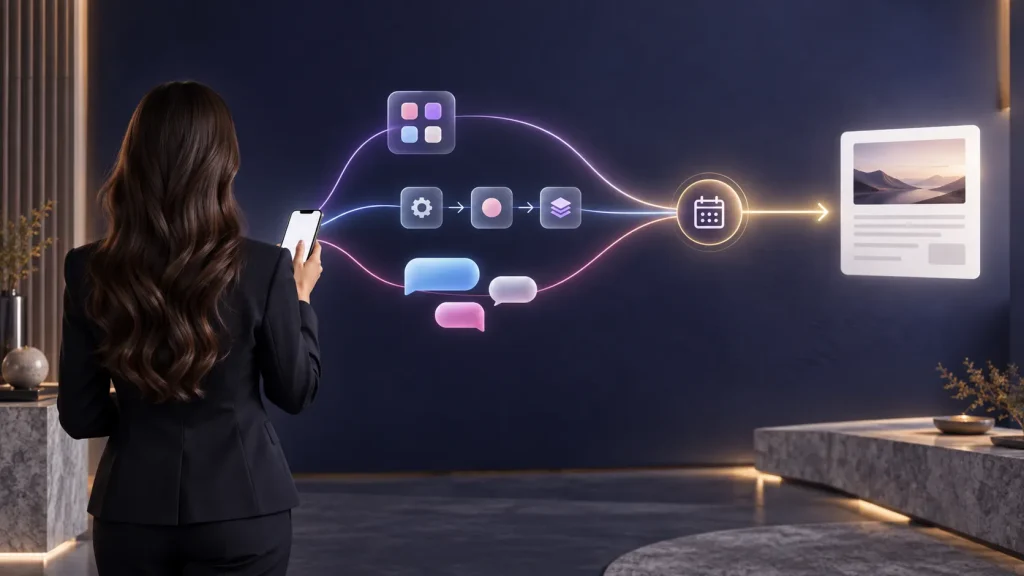
Whichever entry point you choose, the operational reality is the same one I described in the AI operating system framework for solopreneurs. It is what a production layer looks like when the interface no longer has to be a desktop screen, a laptop screen, or a tablet screen.
The hosting infrastructure is a critical part of the workflow. It will only work if your hosting provider reliably runs scheduled and API-triggered publishing tasks, while keeping your REST endpoints accessible without interference from overly restrictive security plugins.
I run LadyinTechverse on Verpex, a web hosting service provider I pay for and have written about it before — comparison against Hostinger and Vodien. That Verpex link is a referral one, and you can see how affiliate link/s work here on the disclaimer page. Whichever self-hosted WordPress.org host you use, verify that scheduled posts fire on time and that Application Passwords are enabled at the server level before you build a phone-only workflow around them.
Final Thoughts: The Bottom Line
You do not need a desktop to publish WordPress content. That requirement comes from relying on the block editor, not from WordPress itself. The REST API has long treated drafting, media uploads, metadata, and scheduling as structured tasks. With application passwords, phone shortcuts, and chat interfaces, you can now manage those tasks from a phone without opening a laptop.
The main exceptions are complex page layouts and large batches of media. If your editorial work involves those tasks, keep the laptop for them. For everything else, your phone can handle the publishing workflow.
Ready to see what a fully AI-assisted automation for a content drafting, reviewing and publishing system looks like end to end? Start here to read and understand the breakdown of how I automated and simplified the content pipeline.
Frequently Asked Questions (FAQ)
Internal Articles
- The WordPress Decline is Real, and the Community Has Everything It Needs to Turn It Around
- The Agentic Lab is Running. Therefore I Am Not
- LLM SEO Training Data vs AI Retrieval: The B2B Visibility Gap
- Machine-Readable Authority: How AI Systems Decide Who To Recommend
- Why Some MarTech Stacks Still Cannot Talk To Your AI Agents in 2026
- Ungoverned MarTech: The Hidden Compliance Risk Behind AI-Built Tools
- Why B2B Marketing Attribution is Broken in the AI Search Era
- Marketing AI Readiness: How to Prepare Your B2B Team for Agentic AI
- AI Hallucination Brand Risk in Zero-Click World: The B2B Marketer’s Verification Guide for 2026
- Why B2B Marketing Attribution is Broken in the AI Search Era
- Marketing AI Readiness: How to Prepare Your B2B Team for Agentic AI
- Generative Engine Optimisation: How to Get Cited by AI in 2026
- Answer Engine Optimisation: How B2B Brands in Singapore Get Cited in AI Search in 2026
- Synthetic Content, AI Influencers and the Fight for Authenticity in Marketing
- What is Retrieval-Augmented Generation (RAG)? A Business Guide to AI that Knows Your Data
- I Built an AI SEO Agent to Fix the Visibility Gap in AI Search
- From Server to Sanctuary: Building for Agents, Living for Real?
- Personal Brand Authority in 2026: The One Asset AI Cannot Copy
- Vibe Coding is Rewriting Digital Services: What Agencies, SaaS, and Marketers Must Do Next
- AI Coding Tools 2026 – How to Choose the Right One for Your Workflow
- Why Internal Linking is the Most Underrated SEO Strategy You are Probably Ignoring
- The AI Productivity Paradox in 2025
- Agentic AI in 2025: Ripples that Signal the 2026 Workflow Tsunami
- How can CEOs use AI and Leadership to improve Crisis Communications in 2026?
- How Brands Build Human Trust in the Age of Agentic AI, Starting in 2026
- Digital Trust in 2025: Governance and Security Shaping the Next Economy
- Data Quality is the Power Move behind every winning AI Strategy in 2025
- Why more than 90% of AI Pilots Fail and How Hyper-Personalisation Wins
Sources Referenced
- WordPress REST API Handbook — developer.wordpress.org, checked 2026
- WordPress.org News — WordPress 5.6 Release Notes, Application Passwords Feature — wordpress.org, November 2020
Visual Content Disclaimer: All images in this post are AI-generated.
No Laptop Needed: Publishing a WordPress Blog Entirely From a Phone
#LadyinTechverse #DigitalSanctuary #DigitalTransformation #MarketingTransformation #MarTech #WordPressRestAPI #ApplicationPasswords #SelfHostedWordPress #MobilePublishing #SolopreneurTools #NoCodeWorkflow


Leave a Reply